 SkillCat
InventoryAcross 90+ known agents
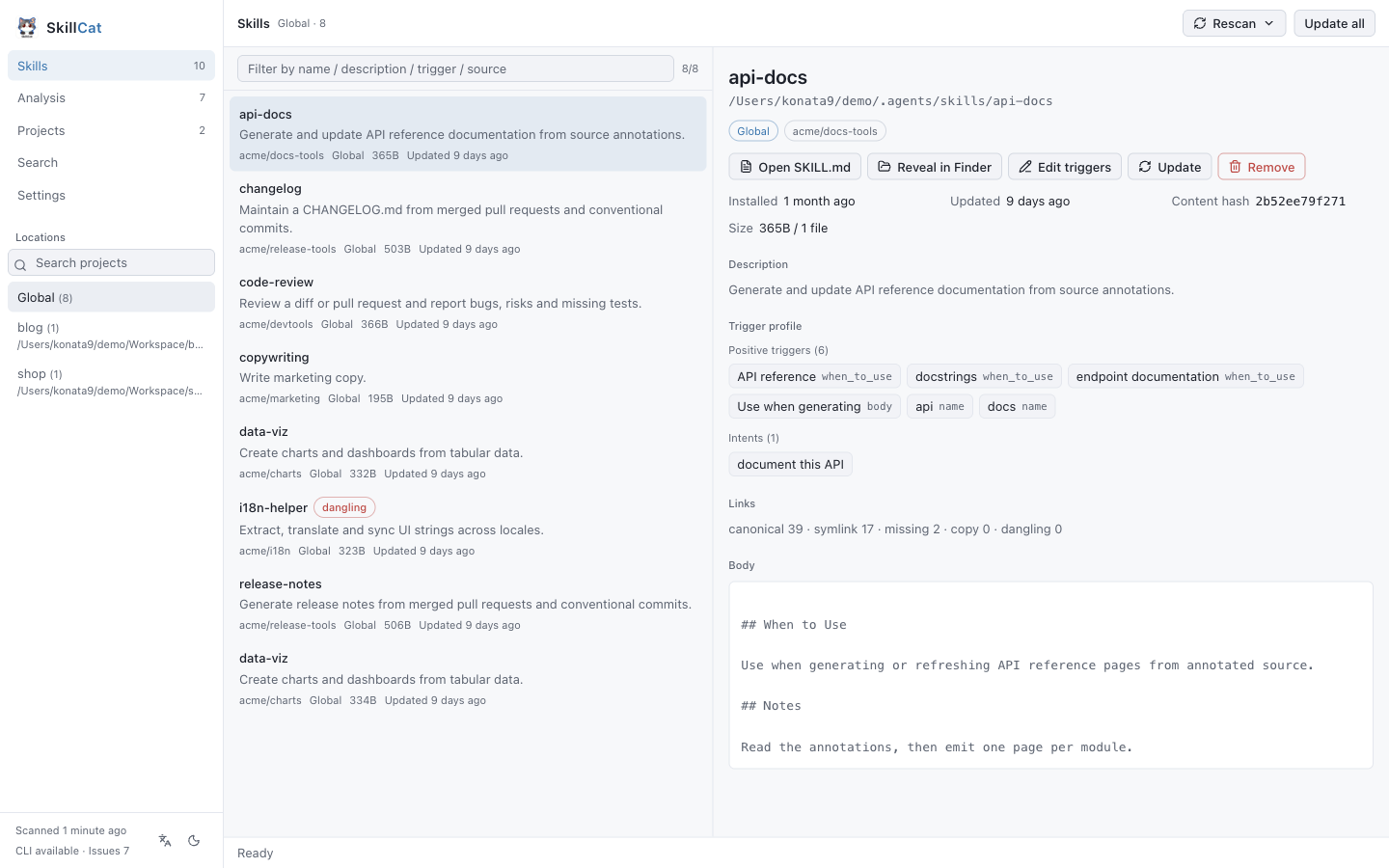
Scans global, per-project and custom directories, then reports the source, the lock metadata and the real link state of every skill: symlinked, dangling, or a drifted copy.
coreLocal-first agent skill manager
Inventory every agent skill, find what's wrong, and manage it safely. SkillCat reads what you have installed across 90+ agents and shows the evidence behind every finding.
---
name: release-notes
description: Generate release notes from merged PRs
when_to_use: drafting a release, changelog
---

## When to Use
Use when drafting a release, or turning
merged pull requests into user-facing notes.Works across 90+ known agent directories
Skills pile up in global directories, per-project directories and a dozen agent-specific locations. They shadow each other and drift from the version in the lock file. SkillCat reads all of it and shows the real state.
Global and per-project inventory with the real link state for each skill: symlink, dangling, or a drifted copy. The detail panel shows the trigger profile, the file inventory and the content hash.
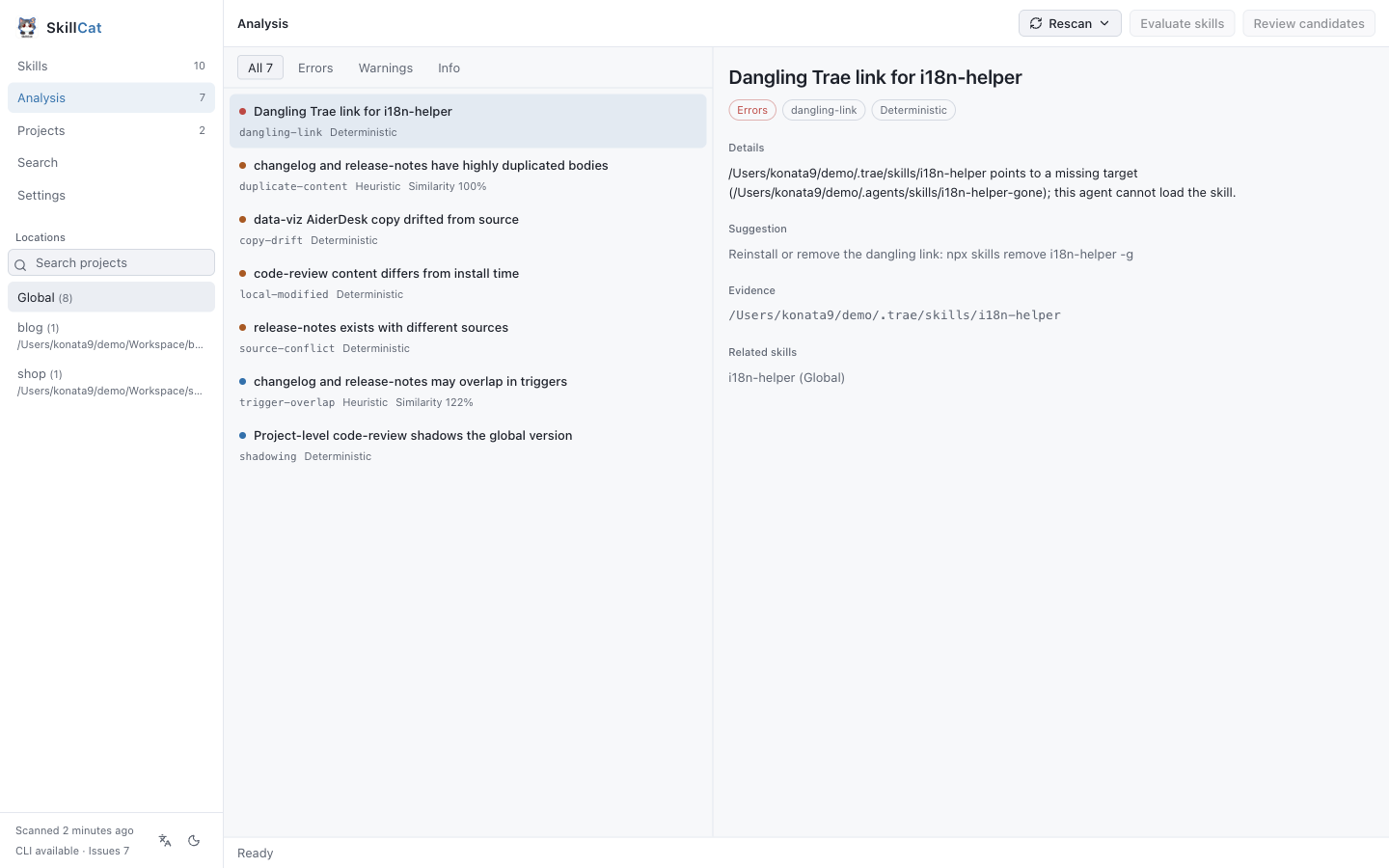
Findings from deterministic rules and heuristics, each shipped with the evidence that produced it. Deterministic and heuristic results are labelled separately, so you always know which is a disk fact and which is a guess.
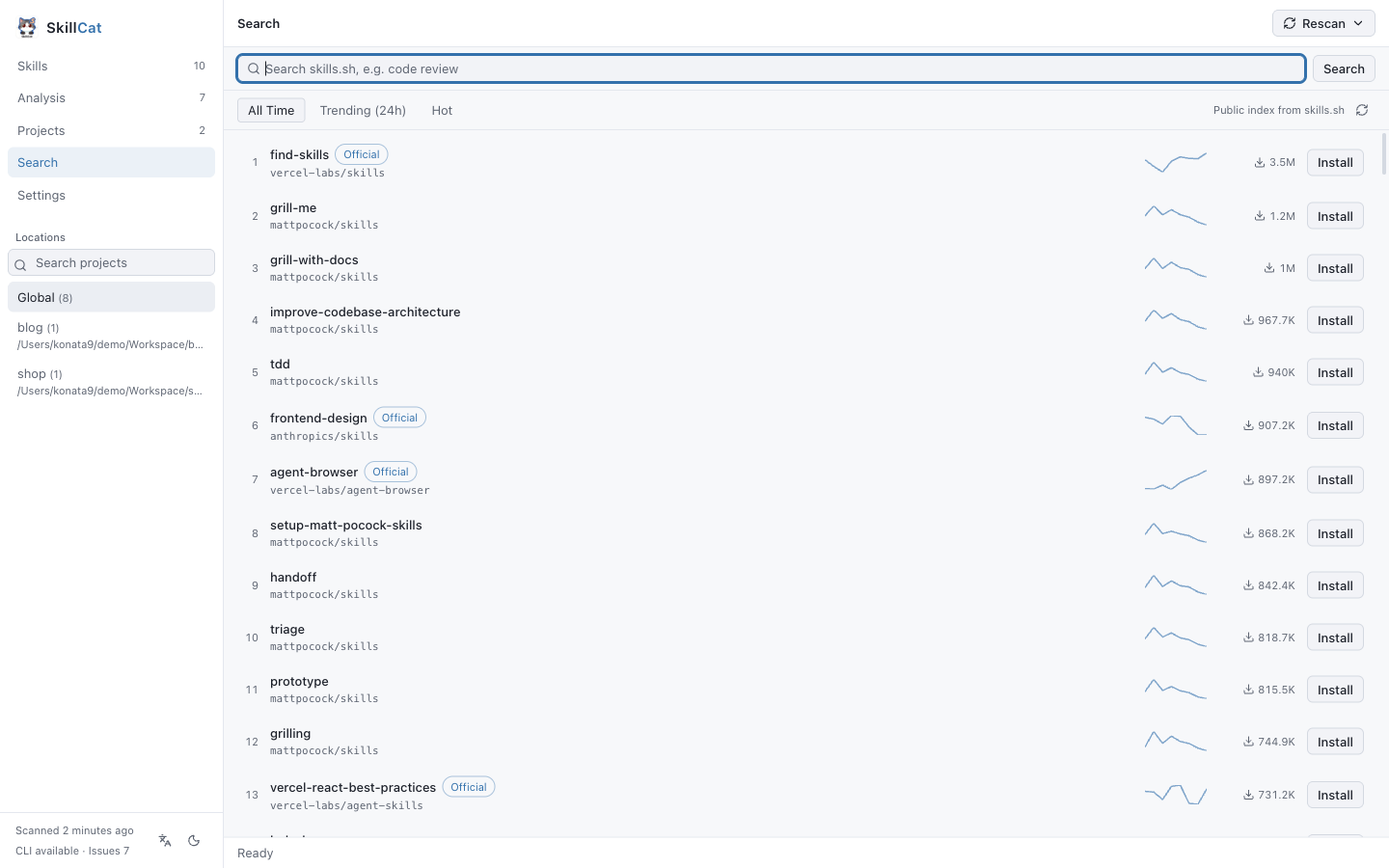
Browse the skills.sh leaderboard and the public index, read a SKILL.md before you commit, then install straight into the current scope.
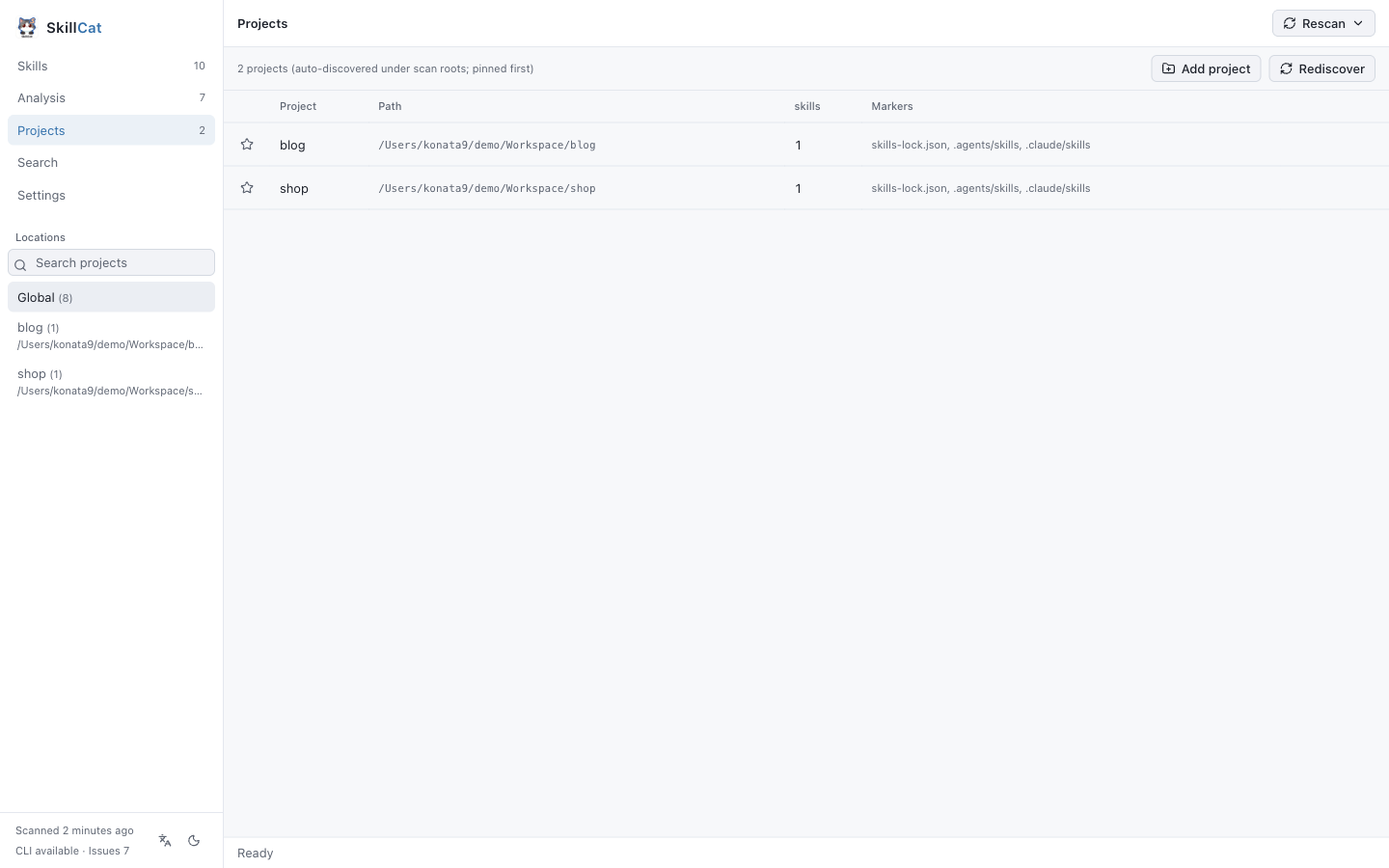
Projects discovered automatically from the agent markers under your scan roots. Pin the ones you revisit. The registry stores paths only, and removing an entry never deletes a file.
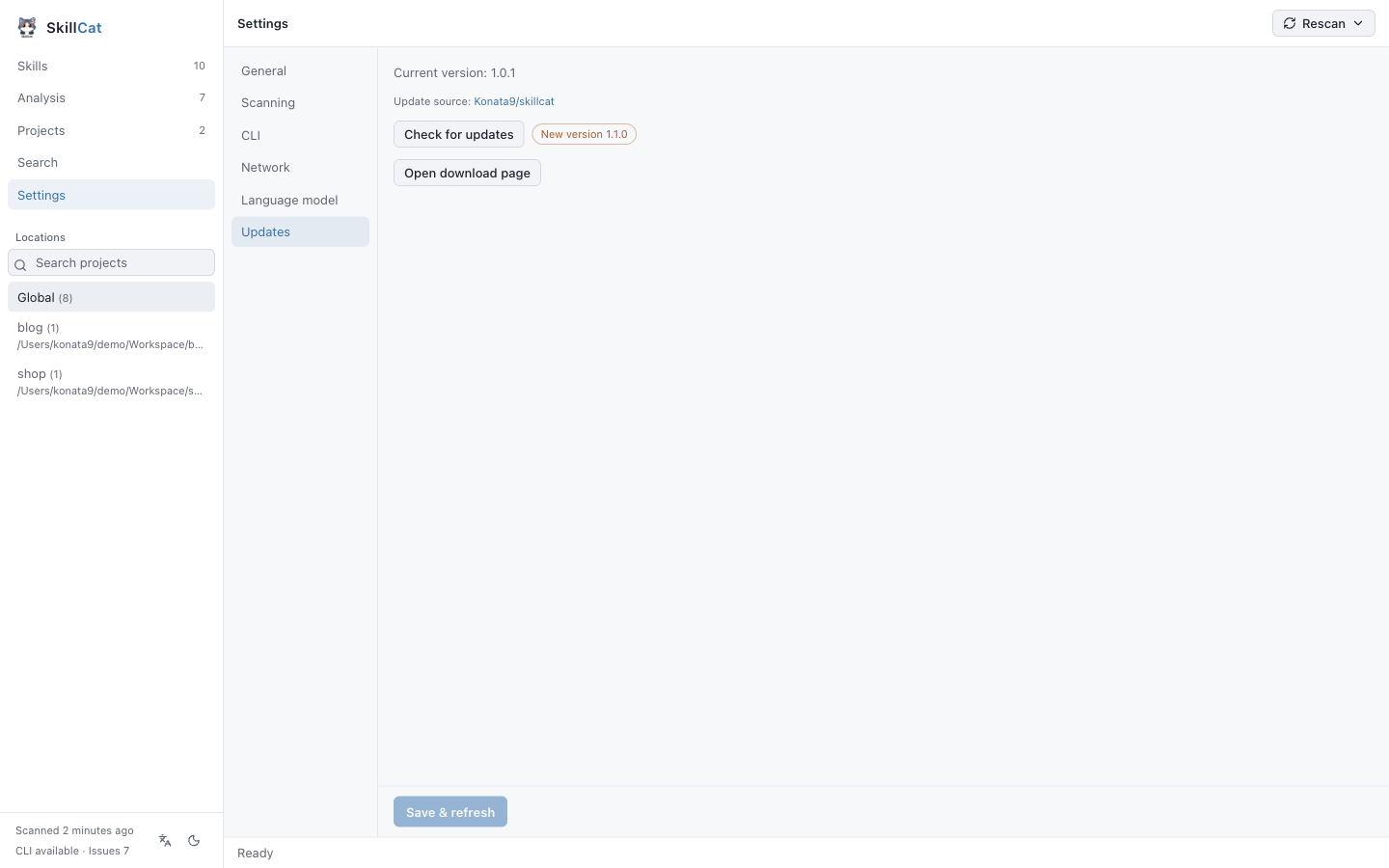
Light and dark themes, English or Chinese (following the system language), proxy support, adjustable similarity thresholds, and a diagnostic doctor.
01 05
Every capability is labelled by how it knows what it knows. Disk facts are deterministic. Similarity results are heuristic and say so.
Scans global, per-project and custom directories, then reports the source, the lock metadata and the real link state of every skill: symlinked, dangling, or a drifted copy.
coreExtracts what dispatches each skill from when_to_use, dispatch_intent, descriptions and “When to Use” sections. Annotate triggers by hand in a sidecar; skill files are never rewritten.
coreDeterministic rules read disk facts: dangling links, missing lock records, copy drift, local edits, cross-scope shadowing and source conflicts. Heuristics surface trigger overlap, negative contradictions and body duplication, each with a confidence score and the shared terms that caused it.
rulesScore every skill with your own model, then judge the pre-filtered duplicate and conflict candidates. Results are saved with a signature, so the UI can tell you when an evaluation has gone stale.
aiFinds projects under your scan roots by their agent markers. Pin the ones you revisit. The registry stores paths only, and removing an entry never deletes a file.
coreBrowse the public index and the all-time, trending and hot leaderboards, read a SKILL.md before you commit, then install straight into the current scope.
onlineEvery change streams progress into a drawer with a confirmation step and can be cancelled. Writes are delegated to the official skills CLI, so there is one install path, not two.
cliThree steps, and the third one is the only one that can change anything on disk.
01
Read the global and project lock files, enumerate the canonical directory, every known agent directory and your custom directories, then hash the content of each skill.
02
Run the rule engine over every record, extract trigger profiles, compute similarity where it is cheap, and attach your saved annotations. Nothing is written back to a skill.
03
Install, update or remove — each one confirmed, streamed and cancellable, and each one executed by the official skills CLI rather than by SkillCat itself.
Reads
Scanning uses the filesystem and lock files only. No network call is required to inventory or analyze your skills.
Writes
Every mutation runs through the official skills CLI. SkillCat never becomes a second source of truth, and never edits your files behind your back.
P1
Scanning uses the filesystem and lock files only. No network call is required to inventory or analyze your skills.
P2
Every install, update and removal runs through the official skills CLI. SkillCat never becomes a second source of truth.
P3
Deterministic rules and heuristics are labelled separately, and every finding ships with the evidence that triggered it.
P4
Scoring and duplicate judgement run only when you ask, with your own key and endpoint. Nothing leaves your machine by default.
Grab the latest build from the releases page, or clone the repo and run it in development mode.
macOS
Windows
The CLI installs skills. SkillCat shows you the state of everything you have already installed: it reads what the CLI and your agents wrote to disk, explains each skill, and flags concrete problems before they bite.
No. Inventory, trigger profiling and the rule engine all run without a model. An API key is only needed if you switch on the optional AI evaluation.
Over 90 known agent directories, including Claude Code, Codex, Cursor, OpenCode, Gemini CLI, Windsurf and Trae. You can add your own skill directories as well.
Not silently. Scanning is read-only, and annotations live in a sidecar file in the config directory. Any change to a skill directory goes through the official skills CLI, with an explicit confirmation step.
Yes. Scanning and analysis use only the filesystem and lock files. Network access is limited to the optional remote search, leaderboard and AI evaluation.
Yes. SkillCat is MIT-licensed and open source, with no account, no subscription and no telemetry.
macOS is self-contained: the skills CLI is bundled, so no Node.js install is required. On Windows, install Node.js 22 or newer.
Free, open source, and read-only until you say otherwise.